License
Activating a key, seeing your plan, moving between computers, and cancelling.
What the tab shows
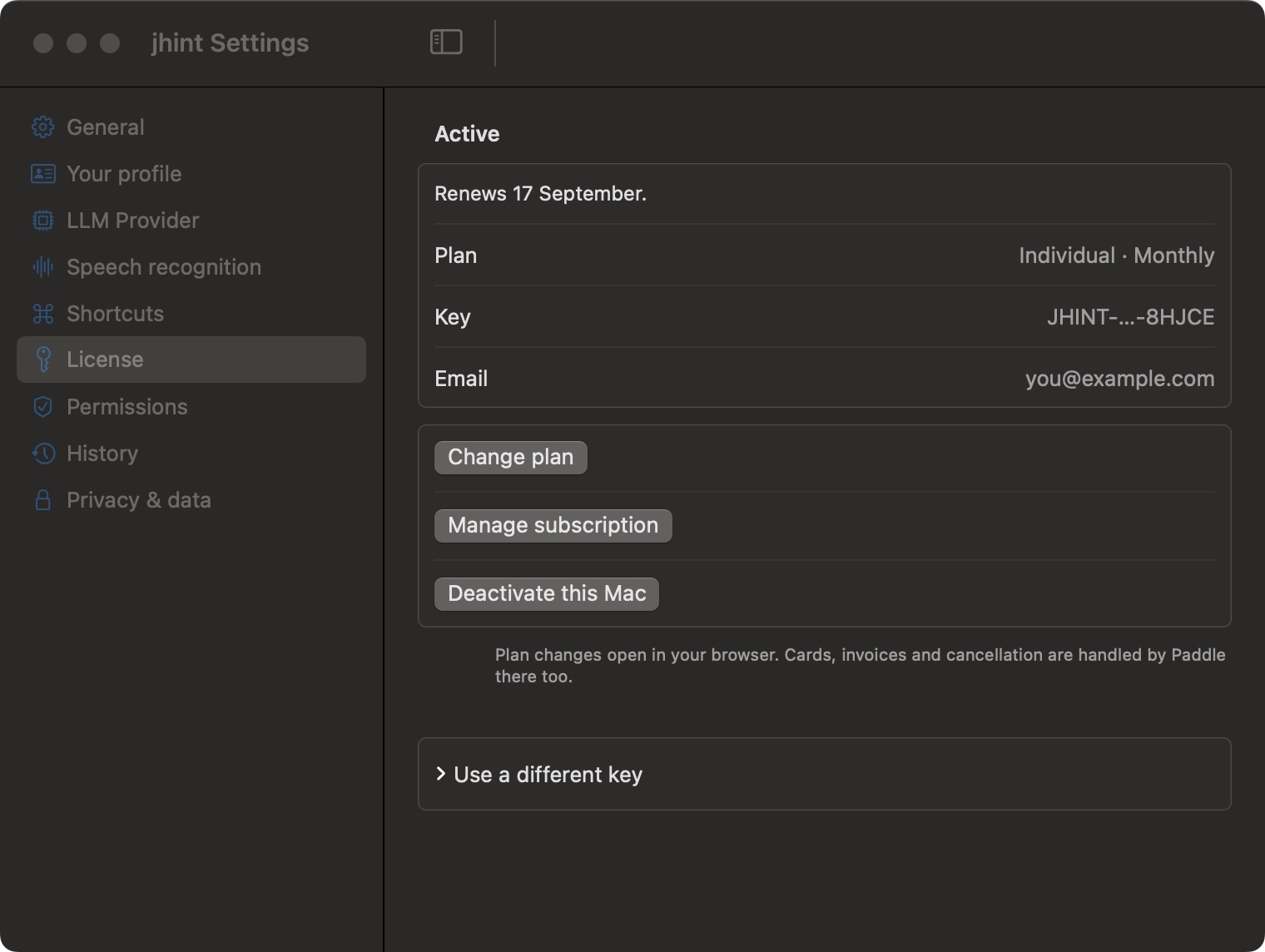
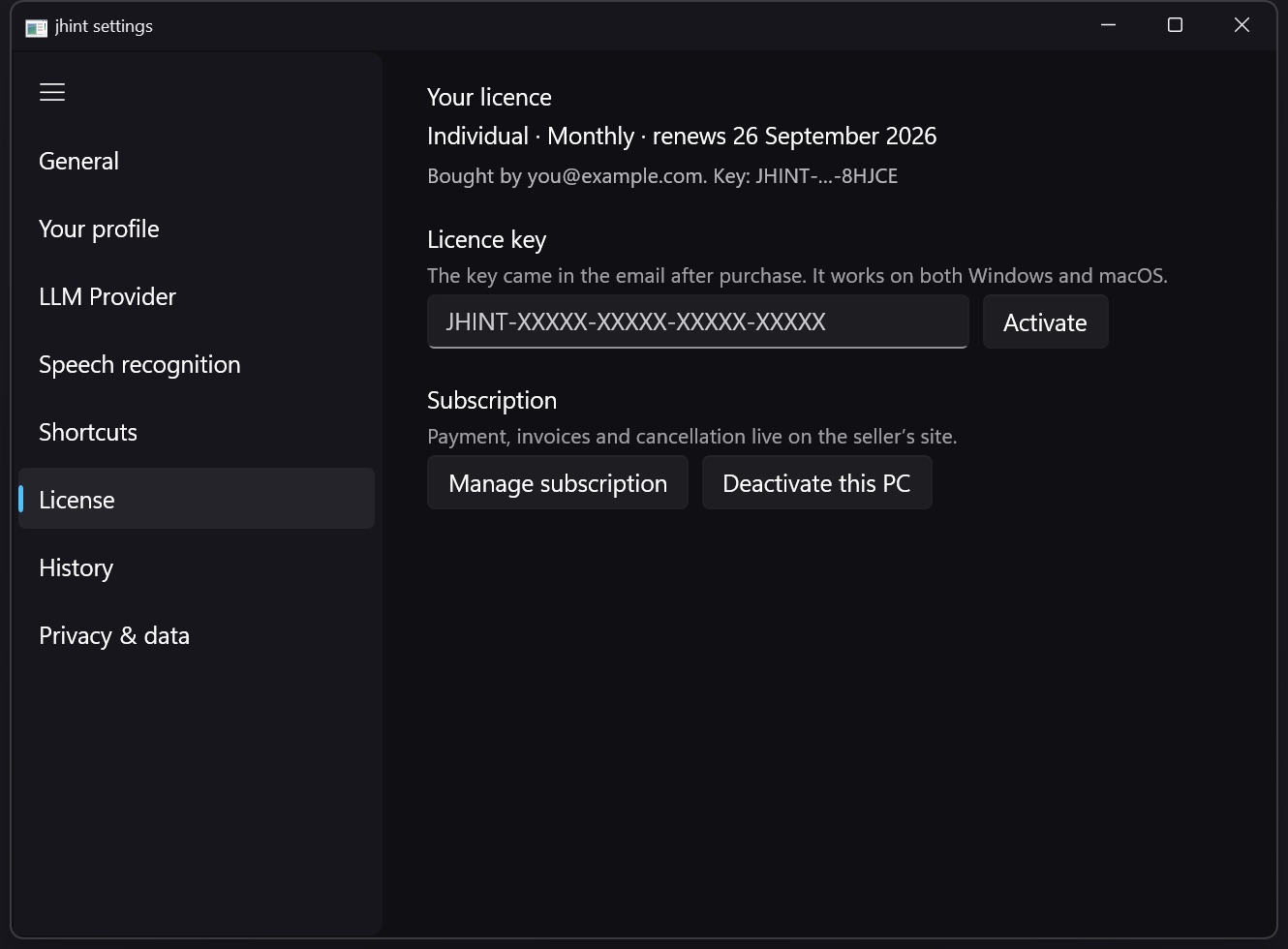
Plan is the one line worth knowing: your plan and how often you are billed — “Individual · Monthly”, “Pro · Yearly”. The plan decides which AI you can run, so this is the same line the LLM Provider tab acts on; Plans lists what each one includes.
Above it, the state: Trial with the date it ends, Active with the date it renews, or Payment failed if a charge didn’t go through. Key is your licence with the middle hidden, and Email is the address it is tied to.
Activating
Paste the key from your purchase email and press Activate. Without a licence jhint will not start a session, and the first-run window will not go past its licence step.
If every slot your plan covers is taken, jhint says so and offers to take the place of the computer that has been offline the longest — a computer used within the last day is never taken. You need it because deleting the app on the old machine does not release its slot; erasing local data or uninstalling from inside the app does.
The button is called Use this Mac instead, and dragging jhint to the Trash is the case it exists for.
Lost your key?
Enter the email address you bought with, and the key is sent there again. No account and no password: the licence is the key.
How many computers
How many computers a licence covers depends on the plan: Individual covers one, Pro covers two. The app you are looking at holds one slot; a computer you stop using releases its slot when you erase local data or uninstall — see Updating and uninstalling.
Moving from Pro to Individual frees the extra slot at the moment you change plan: the computer you change from stays activated, and the other one is released. The page you change plan on says so before you confirm.
Changing plan, and cancelling
Change plan opens the plan page in your browser: it shows the price difference and what happens to the money you have already paid, and the change applies as soon as you confirm.
Manage subscription opens Paddle’s customer portal — cards, invoices and cancellation live there. After you cancel, the licence keeps working until the end of the period you have paid for, and nothing is charged after that.
Details of the trial and refunds are on Licence, trial and devices.