Start a session
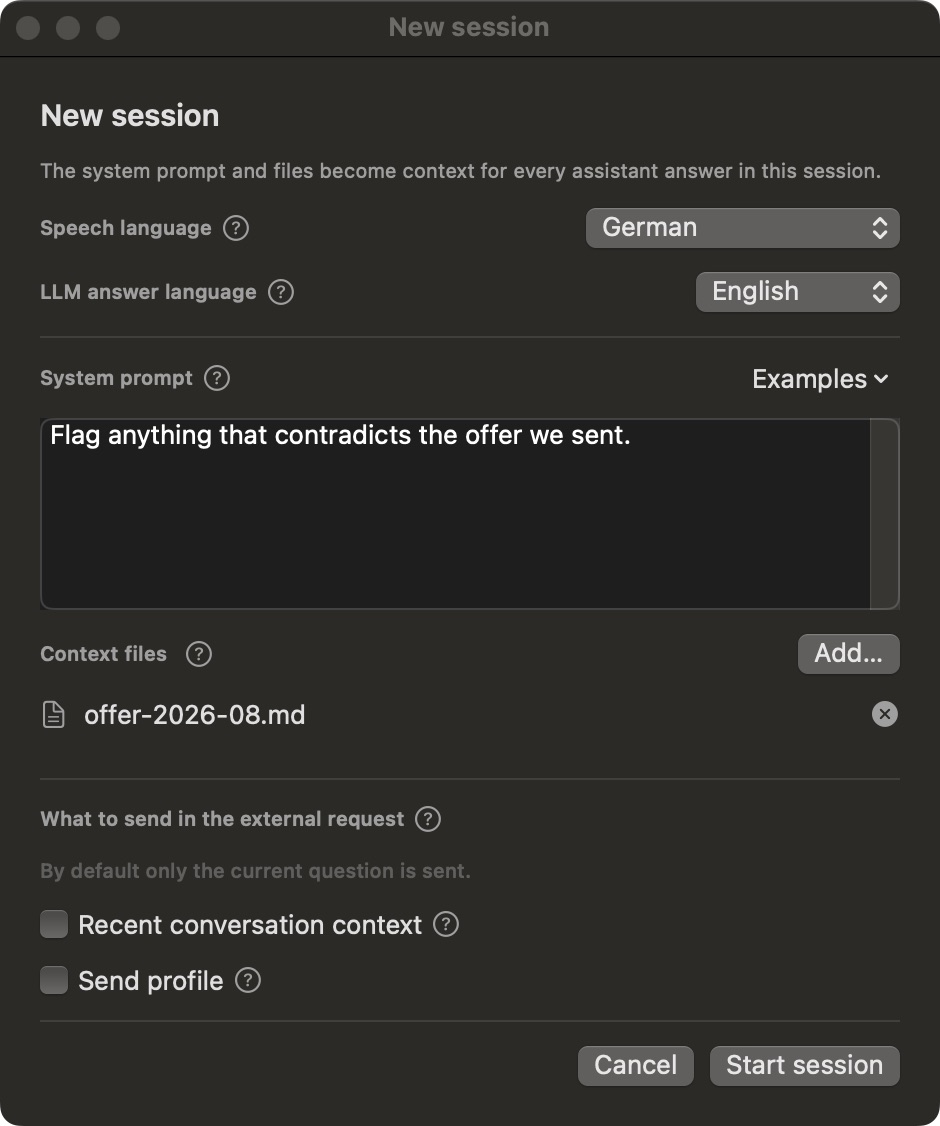
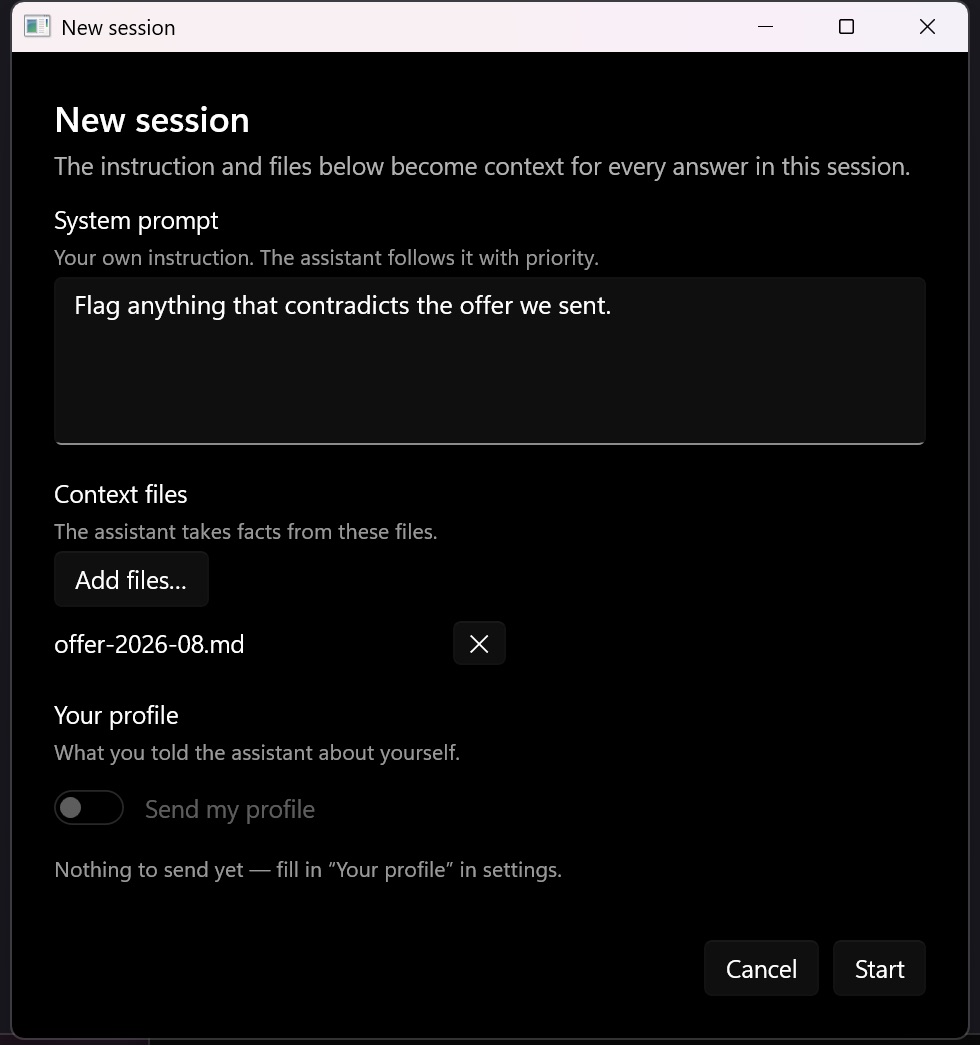
The New session dialog — languages, an instruction for this conversation, and files.
A session is one conversation. Start it from where jhint sits — the menu bar on macOS, the notification area on Windows — or with ⌃⌥L (Ctrl+Alt+L on Windows), just before the call begins.
Speech language
The language you expect to hear. Leave it on Auto when you don’t know, or when the call switches languages; name the language when you do, and recognition gets noticeably more accurate.
LLM answer language
The language you want to read. These two are independent: hearing German and reading English is the point of the pairing.
System prompt
One instruction for this conversation — the difference between a general answer and a usable one. “Answer from the attached materials only.” “Flag anything that contradicts the offer we sent.” “Keep it short enough to say out loud.”
Examples opens a list you can start from.
Context files
Documents this conversation should be answered from: text, Markdown, Word, RTF, HTML, OpenDocument or PDF. They are read on your computer and become part of the context for every answer in this session.
What to send in the external request
Visible when you answer through an external provider. By default a request carries only the current question — not the whole conversation, not your profile.
- Recent conversation context — adds the last few exchanges, so follow-up questions make sense on their own.
- Send profile — adds what you wrote on Your profile.
Both are off until you turn them on, and the built-in model doesn’t show them: nothing leaves the computer to begin with.
Press Start session and the conversation window appears — see The conversation window.